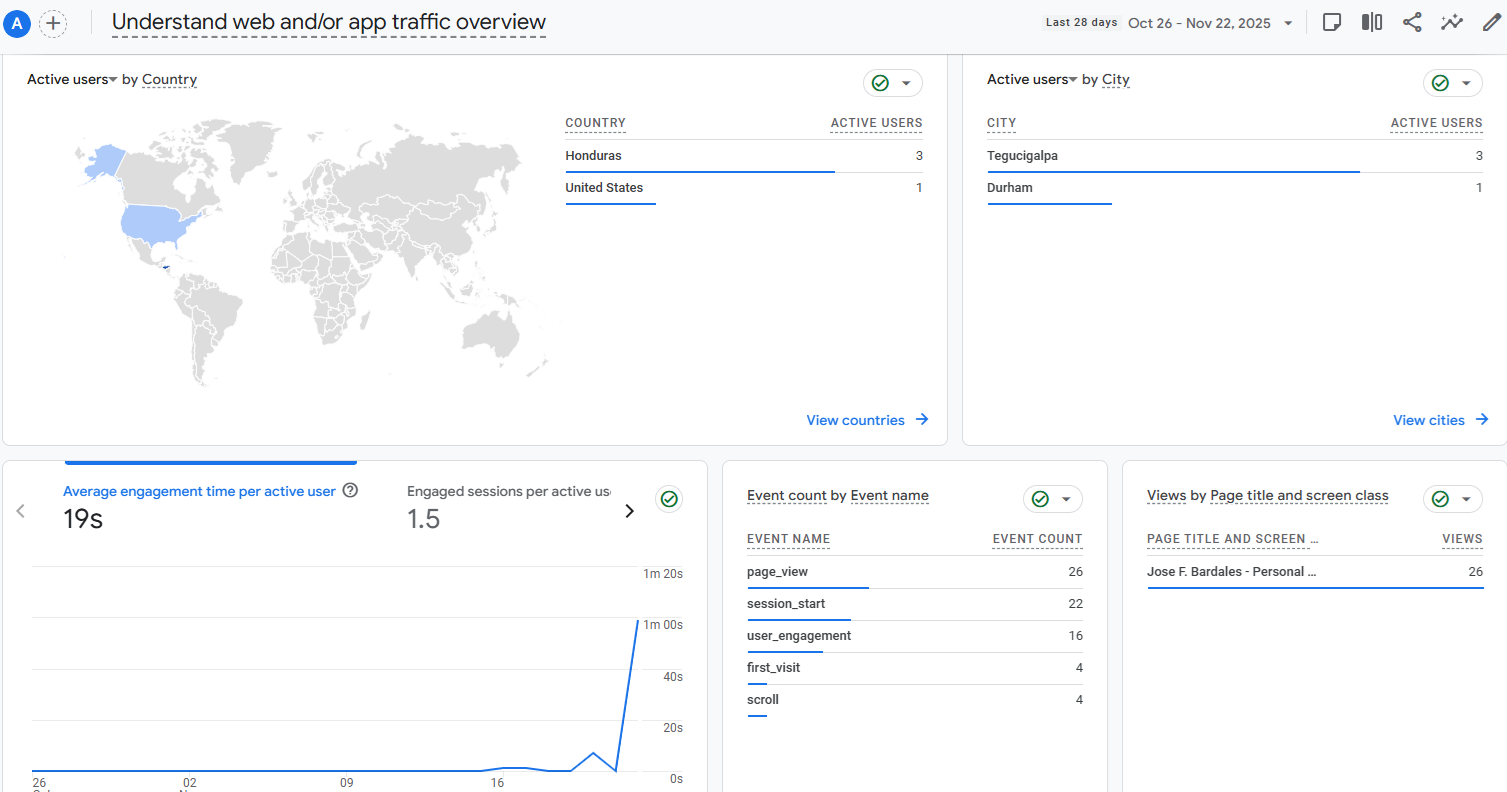
Portfolio Analytics with GA4

1. GTM Implementation
Understanding how users interact with my portfolio is crucial for optimization. Instead of hardcoding the Google Analytics tracking ID directly, I utilized Google Tag Manager (GTM).
This allows for greater flexibility, enabling me to manage multiple tags (GA4, custom event listeners) without altering the codebase. Below is the container snippet implemented in the <head> of every page on this site:
(function(w,d,s,l,i){w[l]=w[l]||[];w[l].push({'gtm.start':
new Date().getTime(),event:'gtm.js'});var f=d.getElementsByTagName(s)[0],
j=d.createElement(s),dl=l!='dataLayer'?'&l='+l:'';j.async=true;j.src=
'https://www.googletagmanager.com/gtm.js?id='+i+dl;f.parentNode.insertBefore(j,f);
})(window,document,'script','dataLayer','GTM-WTJXDSS7');
</script>
2. Traffic Analysis
Using GA4, I track the volume of visitors over time. This helps correlate traffic spikes with specific job applications or LinkedIn posts.
Key Metric: Total Users & New Users by Week.
3. User Flow & Path Exploration
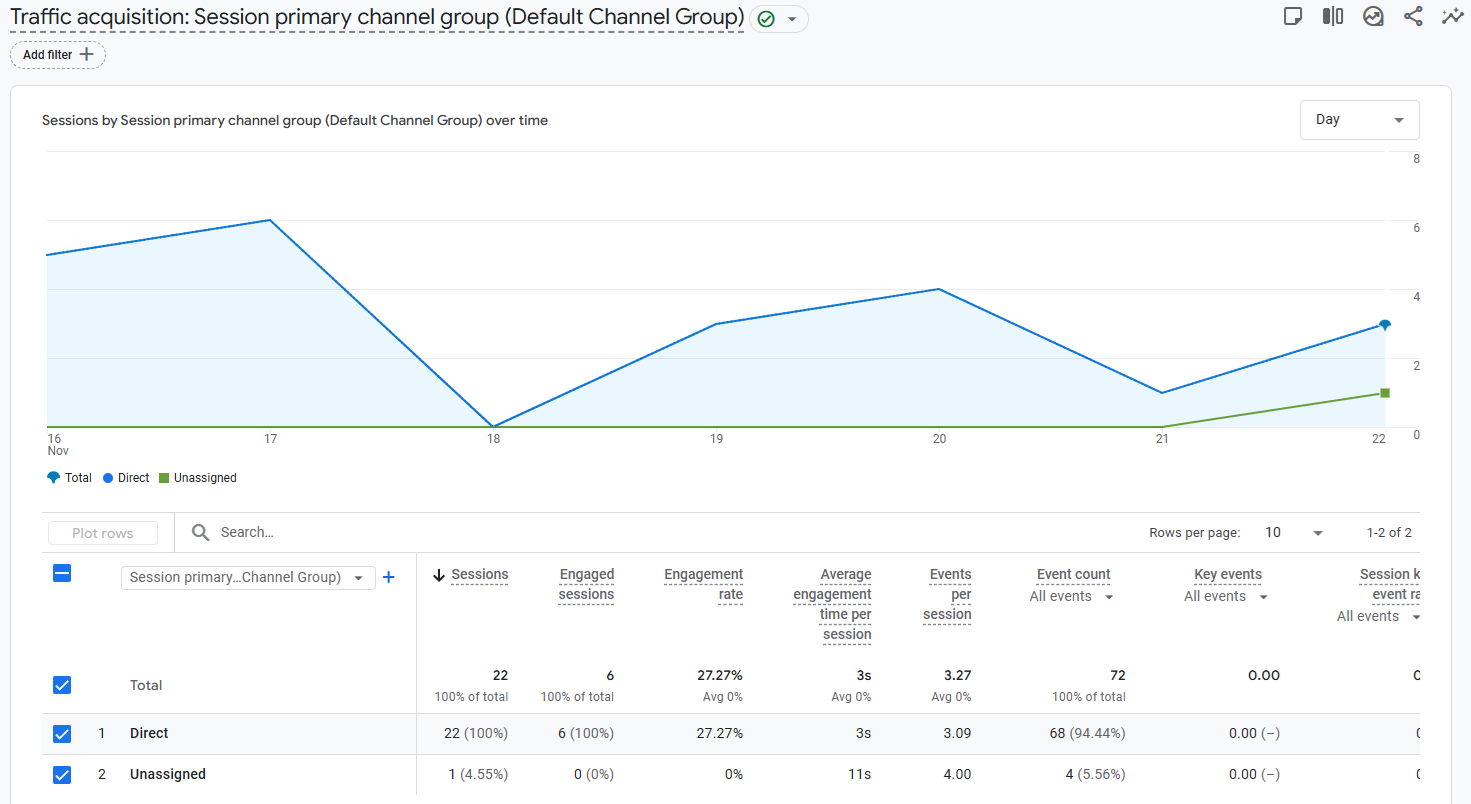
It is not enough to know that people visited; I need to know what they viewed. I use the Path Exploration report to understand the user journey.
The Funnel Question: Of the users who land on the index.html (Home), what percentage navigate to the Professional Experience page versus the Technical Projects?
4. Demographics & Acquisition
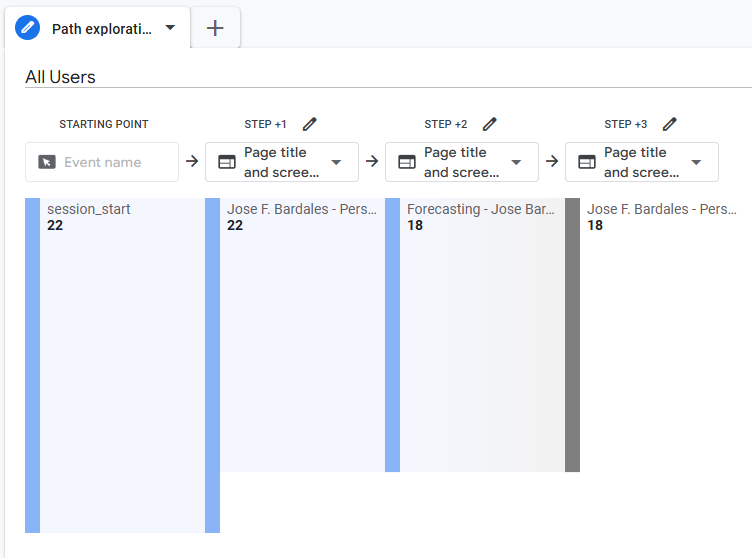
Geography: Validating that traffic is coming from the regions where I am applying for roles (e.g., USA, Europe, LATAM).
Acquisition: Determining if users are finding me via Direct traffic or through UTM-tagged links in my resumes (allowing me to identify exactly which company is viewing my profile).